Standard QR codes are square black-and-white grids. But you've seen round QR codes on coffee cups, heart-shaped QR codes on wedding invites, and QR codes with softly rounded corners on tech startup business cards. So can a QR code really be in a different shape? Yes - but only in certain ways, and only if you respect a few hard constraints baked into the QR specification.
This guide walks through every shape customization people ask about: heart shapes, round/circular, rounded corners, custom silhouettes, and module-level shape changes. For each one, you'll see what actually works, what breaks, and how to design a shaped QR that still scans reliably on every phone.
Quick answers
- Can a QR code be heart-shaped? The data grid must stay square, but you can mask the outer modules into a heart outline - works if the three corner finder patterns stay fully intact and error correction is set to H.
- Can a QR code be round? Yes, same masking principle. What people call a "round QR" is a square QR with rounded dot modules, rounded corners, and a circular frame that hides the outer edges.
- Can a QR code have rounded corners? Absolutely - this is the safest, most popular QR code shape customization. Zero scan-reliability cost.
- Can the QR data itself be in a custom shape? No. The underlying grid is always a square per ISO/IEC 18004. Custom shapes come from masking and presentation - not from rearranging the data grid.
Why QR codes are square
The QR standard (ISO/IEC 18004, maintained by the Japanese Industrial Standards Committee since 1994) defines a square grid of modules - the tiny squares that make up the code. Depending on data capacity, a QR code has between 21×21 and 177×177 modules. The grid must be square because the scanner algorithm relies on three fixed reference points to orient the code:
- Finder patterns - the three large squares in the top-left, top-right, and bottom-left corners. These tell scanners "here is a QR code, and this is its orientation."
- Alignment patterns - smaller squares scattered through larger QR codes, used to correct for camera distortion.
- Timing patterns - alternating rows/columns of black and white modules between finder patterns, used to calibrate the module size.
You cannot change this underlying square structure. But you can change how the modules look, how the outer edges are masked, and how the whole code is presented - and that's where every "shaped" QR code you've ever seen comes from.
What you can actually customize
There are five levels of shape customization, stacked from least to most risky:
1. Module (dot) shape. Replace the square modules with circles, rounded squares, diamonds, or other simple geometric shapes. Low risk - scanners read the module centers, not the precise shape. See our QR code design tips for which module shapes look best at print sizes.
2. Corner (finder pattern) style. The three corner squares can have rounded corners, circular centers, or custom geometric variations. Low risk as long as the basic finder pattern structure (large square, inner square, inner dot) remains recognizable.
3. Module color and gradients. Recolor modules, apply brand gradients, or use per-module color. Zero risk to scanability if contrast between modules and background stays above 4:1. See the QR code colors guide.
4. Logo or image in center. Embed a logo in the middle, covered by the QR's error correction. Low risk up to ~25% of the QR area with error correction level H. Read how to add a logo to a QR code for the exact technique.
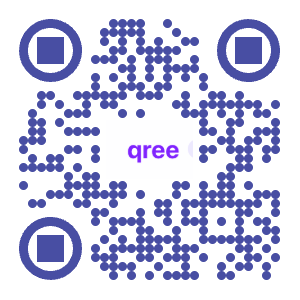
5. Outer frame / masking. Mask the outer edges of the square QR into a non-square silhouette - circular, heart, star, or custom. Medium risk, requires care (more on this below).
Rounded corners: the safest shape customization
"Rounded corners" on a QR code can mean two things:
- Rounded module corners - each module has gently rounded edges instead of sharp squares. Looks soft and modern. No impact on scanning.
- Rounded outer boundary corners - the overall QR silhouette has rounded corners, like a rounded square or "squircle." This just masks the very outermost modules, which are usually padding anyway.
Both are scan-safe. Most modern QR generators (including qree) expose rounded corners as a one-click style. If you're not sure where to start with shape customization, rounded corners are the lowest-risk win.
Round and circular QR codes
What people call a "round QR code" is almost always one of two things:
- A square QR inside a circular badge or sticker. The scannable QR itself is still square, but the print or digital design places it inside a circle with extra whitespace or a decorative ring.
- A square QR with rounded dot modules, rounded finder patterns, and outer-edge masking that creates the visual impression of a circle. The data grid remains square, but the outer ~5-10% of modules are masked away or hidden behind a circular frame.
The second style scans fine on every modern smartphone - because the three finder patterns (which the scanner locks onto first) stay untouched, and error correction recovers the masked outer modules. Some generators produce this style automatically; with others, you layer a circular frame or SVG mask on top of the QR image yourself.
Heart-shaped QR codes
Heart shapes are the most common "custom outline" request - wedding invites, engagement announcements, Valentine's campaigns. Here's how they work:
- Generate a square QR with error correction level H (highest - 30% recovery).
- Overlay or mask the outer modules into a heart silhouette, ensuring the heart fully contains the three finder-pattern corners.
- Keep a visible "notch" at the top of the heart that doesn't cut into the QR grid - the heart's outer curves can extend beyond the QR, but its inner shape must encompass the full square.
Heart-shaped QRs break in two predictable ways:
- The heart outline cuts into a finder pattern. If any of the three corner squares are truncated, scanners won't recognize the code at all. Non-negotiable.
- The heart removes more than ~30% of the data modules. Error correction can recover up to 30% (level H), but beyond that the data is gone. Narrow or cute "small" heart shapes often fail this way.
The safest heart QR design keeps the heart outline slightly larger than the square grid, with the QR data visually centered inside.
Custom outlines: stars, flowers, silhouettes
The same logic applies to any custom outline - stars, flowers, Christmas trees, brand mascot silhouettes. The outline must:
- Fully enclose all three finder patterns (top-left, top-right, bottom-left corners).
- Leave at least 70% of the data modules intact (and ideally 80%+, since real-world scanning conditions reduce effective error correction).
- Maintain adequate white space (quiet zone) around the QR data - typically 4 modules wide.
Extreme outlines break fast. A thin star shape that cuts through the middle of the QR won't scan. A flower outline with petals that bite into the corners won't scan. Stick to outlines that are rounder and larger than the QR itself; use them as decoration, not replacement.
Module (dot) shape options
Swapping the square modules for other shapes is where most of the "QR code in different shapes" creativity happens - and it's completely safe. Common options:
- Rounded squares - softened corners, modern and friendly. Most popular choice.
- Circles / dots - looks like a beaded grid. High-tech vibe.
- Diamonds - rotated squares, decorative. Good for luxury brands.
- Hexagons - honeycomb look. Less common, works.
- Vertical or horizontal bars - pairs of adjacent modules fused into bars. Works but can confuse older scanners; test before printing.
- Custom shapes (leaves, hearts, small icons) - possible but risky. Scanners read the module center; if your custom module shape shifts the visual center, scans degrade. Keep module replacements simple and geometric.
Finder pattern variations
The three corner finder patterns are the most recognizable part of a QR code - and the most commonly redesigned. You can round their corners, replace the inner dot with a circle, or use custom inner motifs (stars, dots, small logos) as long as the outer square boundary and inner square are preserved. Don't:
- Rotate or skew a finder pattern.
- Remove the inner ring of white modules.
- Use drastically different shapes for the three corners (scanners expect consistency).
Error correction: the budget for your shape
Every QR code reserves a portion of its modules for error correction - redundancy that lets scanners reconstruct the data even if part of the code is damaged, dirty, or covered. There are four levels:
- L (Low) - 7% recovery. Never use this for shaped QR codes.
- M (Medium) - 15%. Fine for color customization only.
- Q (Quartile) - 25%. Enough for small logo overlays.
- H (High) - 30%. Use H for any shaped QR, logo overlay, or color gradient. It's the whole budget you have for creative customization.
Think of H-level error correction as the "creative budget" you get to spend on shape, logo, and color. Want a heart outline that masks 20% of the modules? H gives you that with 10% headroom. Want rounded corners + a logo + color gradient? H covers it. Without H, you run out of budget fast and the QR stops scanning.
Read more in the QR code error correction guide.
What breaks a shaped QR code
In order of how commonly this happens:
- Cutting into finder patterns. Any outline that truncates one of the three corner squares is instantly broken. Check every custom shape with a grid overlay.
- Low error correction level. Using L or M with a shaped QR is asking for trouble. Always H for anything non-trivial.
- Low contrast. Pastel-on-pastel or dark-on-dark reduces contrast below the 4:1 threshold scanners need. Shaped QRs often come with color experiments - maintain contrast.
- Distortion. Stretching a QR into a tall rectangle or squeezing it into a narrow shape distorts the module grid. Scanners tolerate mild distortion; anything beyond ~10% aspect ratio change breaks.
- Over-customized modules. Replacing modules with detailed illustrations (tiny palm trees, intricate icons) shifts the visual center of each module. Scanners lose track. Stick to simple geometric module shapes.
- Missing quiet zone. The QR needs 4 modules of white space around it. Shaped designs that pack the QR tight against the edge of the design lose scannability, especially at small print sizes.
Use-case examples
Wedding invitations → heart-shaped or rounded. Hearts fit the emotional register; pair with soft pastels and ensure the outline is larger than the QR grid so corners stay safe.
Tech startup business cards → rounded corners + brand color. Rounded modules, brand-color gradient on the QR, logo in the center. Looks modern without breaking anything.
Event posters → circular badge style. Square QR inside a circular badge with "Scan Me" curved text around it. Best for large print (≥3 cm), so module detail stays readable.
Restaurant menus → rounded + colored. Soft rounded corners with a brand-accent dot color on a neutral background. See our QR codes for restaurants breakdown.
Social media avatars → circular mask. Square QR with circular outer mask, rounded dots. Perfect for Instagram profile squares or link-in-bio overlays.
Product packaging → frame with CTA. Square QR in a rounded frame with "Scan for instructions" or "Scan to register" text below. The frame is decorative; the QR itself is unchanged.
How to make a shaped QR code with qree
At qree.app, you can apply every safe shape customization described above in a few clicks:
- Enter your URL, WiFi credentials, or contact info at qree.app.
- Open the customization panel.
- Choose a dot style - square, rounded, circular, or diamond.
- Choose a corner style - square, rounded, or circular finder patterns.
- Set colors - QR color, background color, and optional gradient. Keep contrast ≥ 4:1.
- (Optional) Upload a logo - error correction automatically upgrades to level H when you do.
- (Optional) Add a frame with a "Scan Me" label.
- Download as PNG, SVG, or PDF.
If you need a true custom silhouette (heart, star, custom outline), export as SVG and layer it in a vector editor (Figma, Illustrator, Inkscape) with a mask path. Always test the final design by scanning it from multiple phone models before printing at scale.
FAQ
Can QR codes be heart-shaped and still scan?
Yes. The underlying QR data grid must remain square, but the outer modules can be masked into a heart silhouette as long as the three corner finder patterns are fully preserved and error correction is set to level H. Test scan from multiple phones before printing.
Can a QR code be round or circular?
Yes, in the sense that you can mask a square QR into a circular appearance. The data grid itself is always square (required by the QR specification), but rounded dot modules, rounded corners, and a circular frame that hides outer padding modules make the code visually round. Scanners read it fine.
Can QR codes have rounded corners without breaking?
Yes - this is the safest QR code customization. Rounding either the outer boundary or the individual modules has zero impact on scan reliability. Most QR generators support this out of the box.
What's the smallest QR code shape that still scans?
For print, aim for at least 2 cm × 2 cm (0.8 in × 0.8 in) for simple URLs, and 3 cm × 3 cm for shaped or customized QR codes. Smaller sizes reduce the error correction margin shaped designs rely on. Scan distance should be roughly 10× the QR width.
What error correction level should I use for a shaped QR code?
Always use level H (High), which provides 30% error correction. Shape masking, logo overlays, and color customizations eat into error correction capacity - H leaves enough headroom to absorb the loss and still scan reliably in real-world conditions.
Does a heart-shaped QR code scan on all phones?
If designed correctly (finder patterns preserved, H-level error correction, adequate size and contrast), yes - on all modern iPhones (2018+) and Android devices with native QR scanning. Older phones with third-party scanner apps may struggle with heavily customized designs, so test on the devices your audience is likely to use.
Can I put a QR code in any custom shape?
Any shape that fully contains the three corner finder patterns and preserves at least 70% of the data modules will work. Hearts, circles, rounded squares, and broad star shapes work. Narrow shapes, thin outlines that cut across the grid, and shapes that truncate finder-pattern corners won't.
Do rounded or circular QR codes scan slower than square ones?
No measurable difference on modern smartphones. Scanners detect the three finder patterns first, then decode the data - shape of the overall outline or module doesn't add computational cost. Any slowness comes from low contrast or poor print quality, not shape.
At qree.app
At qree.app, every QR code supports rounded corners, custom dot styles, finder-pattern variations, brand colors, and logo overlay - with error correction automatically tuned to keep your code scannable. Everything described above is one click away.